
Vessel Productivity — Quick Guide
How to use the app, step by step
C. Steinweg Oman LLC
1
Sign in & your role
At login, pick your role. Everyone sees the same menus and all screens — only what you can edit differs.
Admin (office)Edit everything, including Settings.
TallyCreate vessels + fill Planning & Tally. View the rest.
ViewerSee everything, read-only (supervisors, managers).
2
The menu
PlanningVessel details + cargo plan (load per hold).
TallyEnter production per shift & gang.
ProductionDashboard for the open vessel.
OverviewLive quay — every vessel, how it runs, gangs to add/remove.
StatisticsDelays, productivity, trends, lost output (€).
Settings (Admin)Manage cargo, rates, agents, operators, berths.
3
Daily workflow
A · Set up a vessel
- Click + New vessel → fill name, berth, commodity, agent.
- Import packing list (or + Add cargo) → enter the load per hold.
- It saves automatically.
B · Tally a shift
- + Add shift → pick date & shift window.
- Per gang: choose crane, operator, cargo; set duration.
- Tap a hold on the ship → enter the quantity worked.
- Tap delay chips for any stoppages (in hours).
- Saves itself; a gang turns green when complete.
C · Sign off
- When the vessel is finished, tick “Vessel signed off” on Tally.
- The status turns Completed (green) in the vessel list.
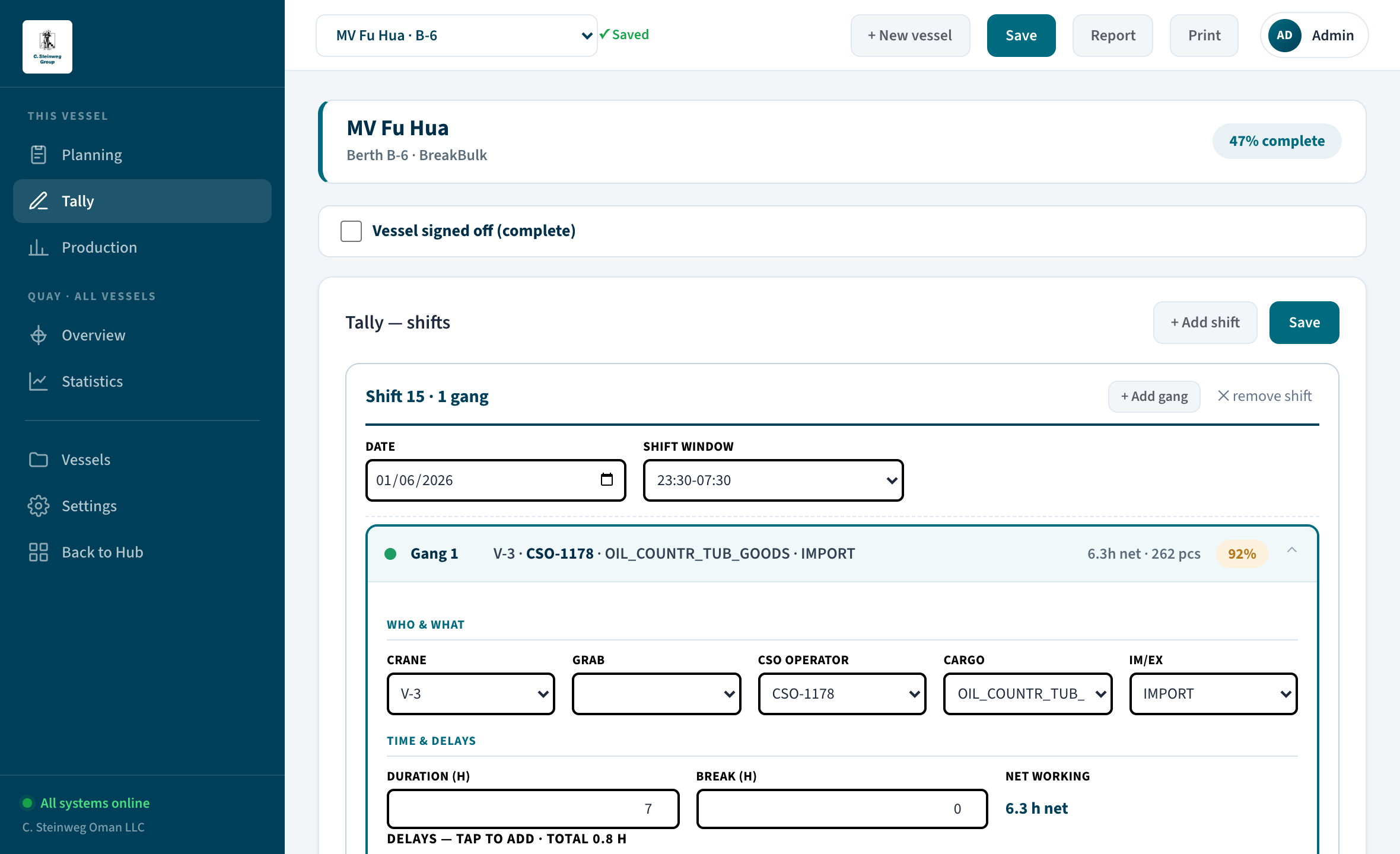
Tally — one line per gang; tap a gang to open it, then fill crane, operator, cargo and the holds worked.
4
Follow the progress
- Production Completion %, productivity per gang, where the time went, the ship hold-plan.
- Overview Which vessel needs a gang, who is below norm, and the ETC per berth — switch Map / List top-right.
- Statistics Biggest delays (controllable vs external), € lost, and trends over the weeks.
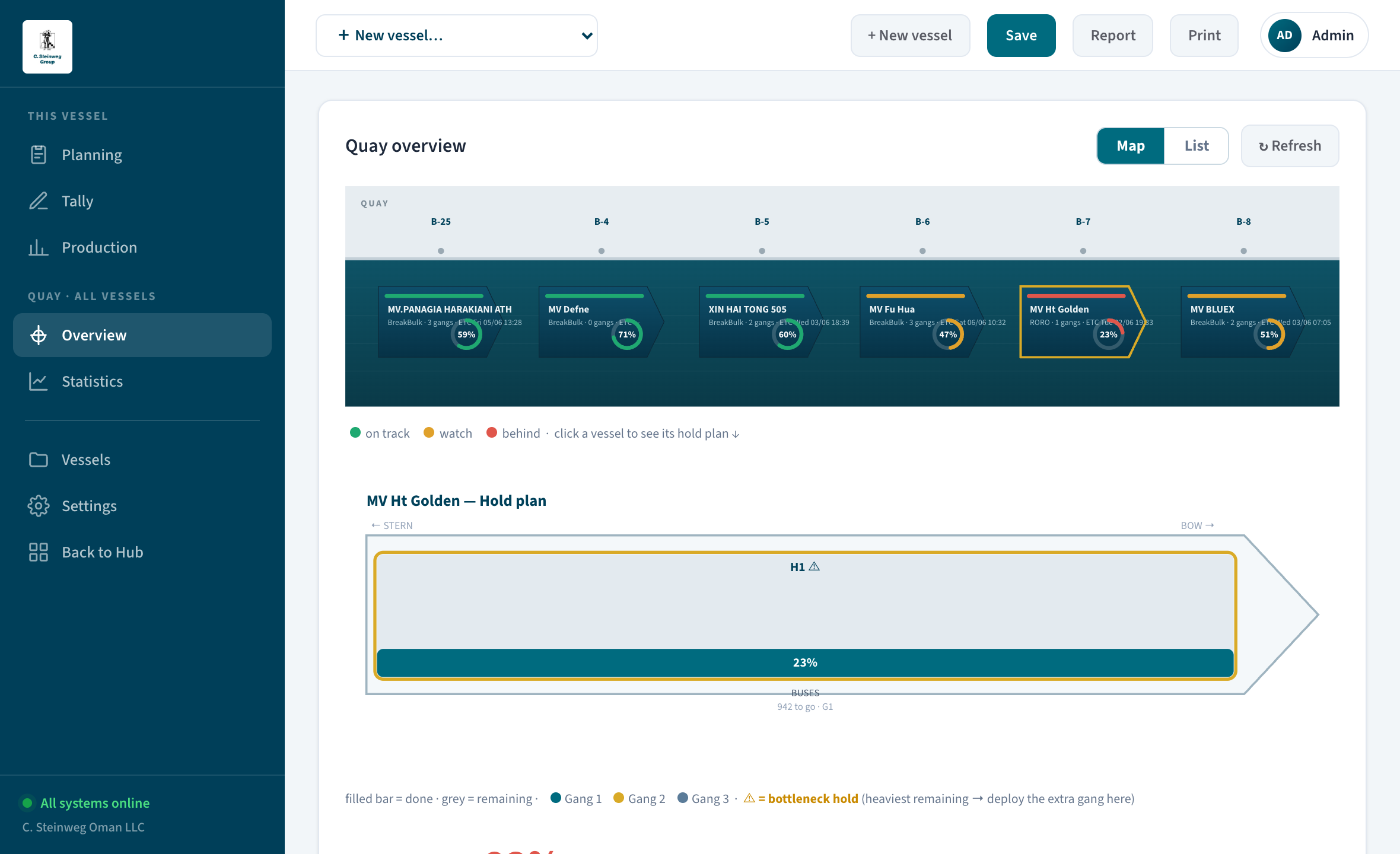
Overview — the live quay: every vessel, how it runs vs norm, gangs to add or spare, and the ETC per berth.
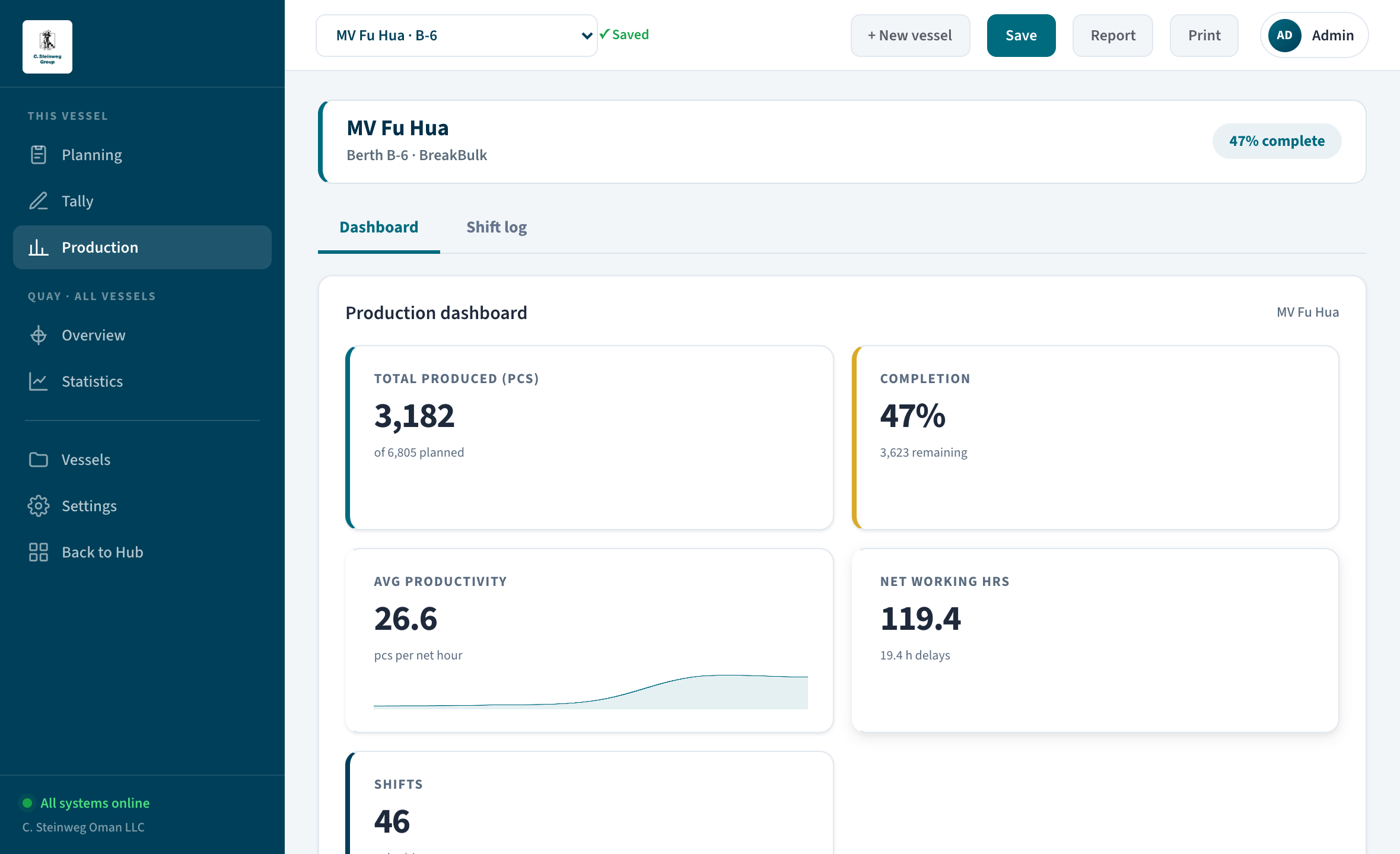
Production — completion, productivity, where the time went and the ship hold-plan for the open vessel.
5
Settings Admin only
- Master data Add/edit berths, cargo types, operators, agents (email & phone), shift windows → Save all settings.
- Norm rates Pick a period → Calculate from actual figures → review the preview → Confirm. The norm becomes your real average. New cargo shows no norm until there is enough data.
Units: Dry bulk is shown in MT; break bulk, project & RoRo in pieces (pcs) — the app picks the right unit automatically. “% of standard” compares the achieved rate to the norm. Archived vessels are kept for history and feed the statistics & norm.
Vessel Productivity Report · C. Steinweg Oman LLC · Sohar · test-productivity.leonsteer.com